Pokemon Scene Creator Online Game
TAP TO PLAY

Pokemon Scene Creator Online Game

Decoration Kids Anime
Developer: Hopefall Studios
Published: 2025-01-26
Updated: 2026-06-12

Reviews

Pokemon Scene Creator Online offers a simple yet engaging way to build custom trainer teams and explore different backgrounds. The controls are intuitive, making it accessible for younger players. The unlimited combinations encourage repeated play, and the family-friendly design ensures a safe experience. It is a nice tool for sparking creativity and spatial reasoning.

Description

Game Introduction

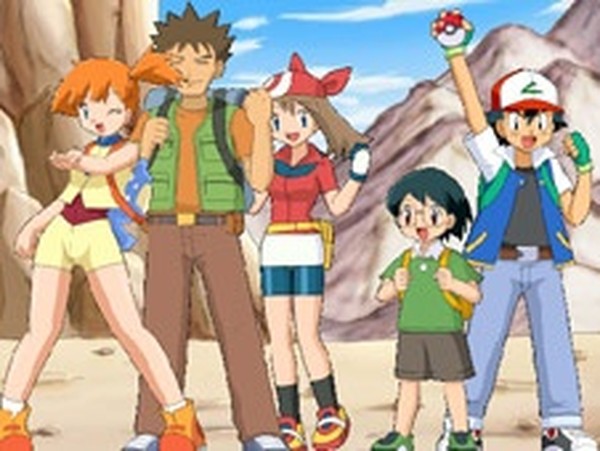
Welcome to the Pokemon Scene Creator Online Game, a creative and interactive experience where you design your own Pokemon trainer team. Starting with five simple blobs, you can transform each one into a beloved character from the Pokemon universe, such as Ash, Misty, or Brook. This game encourages experimentation and imagination, with no time limits or restrictions. It is designed to be safe for all ages, containing no violence or inappropriate content, making it a wonderful choice for family fun and creative play.

How to Play

To begin, use the yellow arrows on the left side of the screen to cycle through character options. Each arrow changes one blob into a different Pokemon character. Keep clicking until you have assembled your ideal trainer team. Next, use the blue arrows at the top of the screen to cycle through various backgrounds. You can choose from locations like the Kanto region, Sion, and other familiar places from the Pokemon world. Feel free to mix and match characters and backgrounds as many times as you like. There are no limits or time constraints, so take your time and enjoy the creative process.

Game Features

Scene creator games improve spatial awareness and boost creativity. This game offers unlimited combinations of characters and backgrounds. It is simple to use with intuitive arrow controls. The content is family-friendly and safe for children. No downloads or installations are required.

Tips for Success

To get the most out of your creative experience, try experimenting with different character and background combinations to discover unique scenes. Take your time exploring all available options, as there are no time limits. Let your imagination guide you, and don't be afraid to change your choices multiple times. This game is all about personal expression and relaxation, so enjoy the process without pressure.


Compatibility

✅ This game supports:
- Desktop browsers (Chrome, Edge, Safari)
- Mobile browsers (Chrome on Android, Safari on iOS)
❌ Does NOT support: - Internet Explorer - Very old browser versions
👉 Try refreshing or updating your browser
Faq
Is this game free to play?
Yes, the Pokemon Scene Creator Online Game is free to play. It is a browser-based game that requires no downloads or installations, so you can start creating your scenes immediately without any cost.
Can I save my creations?
The game may allow you to save or capture your scene, though specific save features are not detailed. Many online scene builders include a screenshot or save option. Check the game interface for any save or export buttons.
What devices can I play this on?
Since it is a Flash-based game, it typically runs on desktop computers with a web browser that supports Flash. Some browsers may require enabling Flash or using an emulator. Mobile devices may not be supported.
Are there any in-app purchases?
The game is described as having no downloads or installations required, and it is free to play. There is no mention of in-app purchases, so it likely offers the full experience without any additional costs.
Is this game suitable for young children?
Yes, the game is designed to be safe for all ages. It contains no violence or inappropriate content, making it a wonderful choice for family fun and creative play. The controls are simple and intuitive, suitable for young kids.
Can I play with friends or share my scene?
The game appears to be a single-player experience focused on personal creativity. Sharing features are not explicitly mentioned, but you may be able to take a screenshot of your scene and share it on social media or with friends outside the game.
Advertisement