Piano Tiles 3 Music Game
TAP TO PLAY

Piano Tiles 3 Music Game

Music
Updated: 2026-06-13

Reviews

Piano Tiles 3 offers a clean, distraction-free experience that focuses on timing and melody. The variety of songs keeps gameplay fresh, and the gradual speed increase provides a satisfying challenge. It is easy to pick up but takes practice to master. Perfect for short breaks or longer sessions, this game rewards concentration and rhythm. The lack of ads or paywalls makes it a trustworthy choice for families. Overall, a well-crafted music game that delivers consistent fun.

Description

Game Introduction

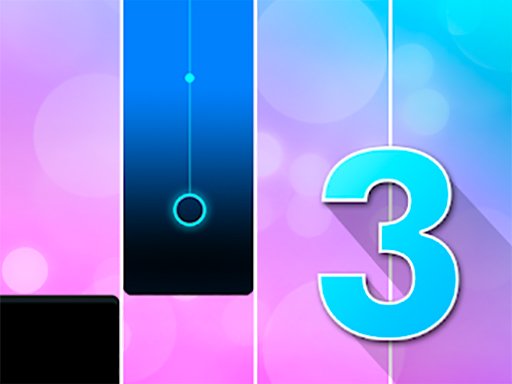
Piano Tiles 3 Online Music Game is a free browser-based action music game that transforms your screen into a playful piano. Colorful tiles scroll downward, each representing a musical note. Your goal is to tap them in rhythm with the song. The game includes a variety of cheerful tunes, from classical melodies to modern pop. As you progress, the speed increases, testing your timing and focus. Designed for all ages, it offers a simple way to enjoy music and improve hand-eye coordination. No downloads or accounts are required, so you can start playing right away in your browser. Whether you have a minute or an hour, Piano Tiles 3 provides a pleasant escape into sound and motion.

How to Play

To play, start by selecting a song from the menu. Tiles will appear in a vertical line on the screen. Tap or click each tile as it reaches the bottom line. Each successful tap plays a note and keeps the music flowing. Miss a tile or tap the wrong spot, and the song ends. The game begins at a slow pace, letting you learn the rhythm. As you advance, the tiles move faster, requiring quicker reactions. Some special tiles may appear, which need precise timing for bonus points. Stay focused and let the melody guide your taps. Practice with easier songs first, then challenge yourself with faster tracks. The goal is to complete the song with no mistakes and achieve a high score.

Game Features

Fun music selection with multiple songs to unlock. Easy one-tap controls suitable for all ages. Colorful, visually clean tiles that are easy to see. Increasing difficulty keeps the game challenging. No downloads or registration needed. Works on any device with a browser. Free to play with no hidden costs.

Tips for Success

Piano Tiles 3 is a relaxing way to enjoy music while sharpening your reflexes. Its simple design makes it easy to play anywhere, anytime. A great choice for short breaks or unwinding after a busy day.

Compatibility

๐Ÿ’ป Desktop | ๐Ÿ“ฑ Mobile | ๐Ÿ“Ÿ Tablet
โ€“ All supported ยท Best with Chrome or Safari
Faq
Is Piano Tiles 3 free to play?
Yes, Piano Tiles 3 is completely free to play with no hidden costs. You can enjoy all the songs and features without any payment or subscription. There are no in-app purchases required to progress or unlock content.
Do I need to download anything to play Piano Tiles 3?
No, Piano Tiles 3 is a browser-based game that requires no downloads or installation. You can play it directly in your web browser on any device, including computers, tablets, and smartphones. Simply visit the game website and start playing instantly.
What devices are compatible with Piano Tiles 3?
Piano Tiles 3 works on any device with a modern web browser, including Windows and Mac computers, as well as iOS and Android smartphones and tablets. The game is optimized for touch screens and mouse input, so you can play comfortably on most devices.
Can I play Piano Tiles 3 offline?
Piano Tiles 3 requires an internet connection to load the game and songs, as it is an online browser game. Once loaded, the gameplay itself may not need constant connectivity, but you will need to be online to start a session or switch songs.
Are there different difficulty levels in Piano Tiles 3?
Piano Tiles 3 does not have explicit difficulty settings, but the game naturally increases in speed as you progress through songs. Some songs may be easier to start with, while faster tracks provide a greater challenge. You can choose songs that match your skill level.
Can I save my progress or high scores in Piano Tiles 3?
Since Piano Tiles 3 does not require an account or registration, your progress and high scores are typically saved locally in your browser's storage. This means they may be lost if you clear your browser data or switch devices. For persistent saving, you may need to use a different device or browser profile.
Advertisement